Evsi OS
The whole operation,in one place.
Sales, operations, academic and strategy share one source of truth. Evsi Hub gives every centre a live view once the season starts, and Ada answers questions about your own numbers.
Sales
See the season fill, and the risk, early.
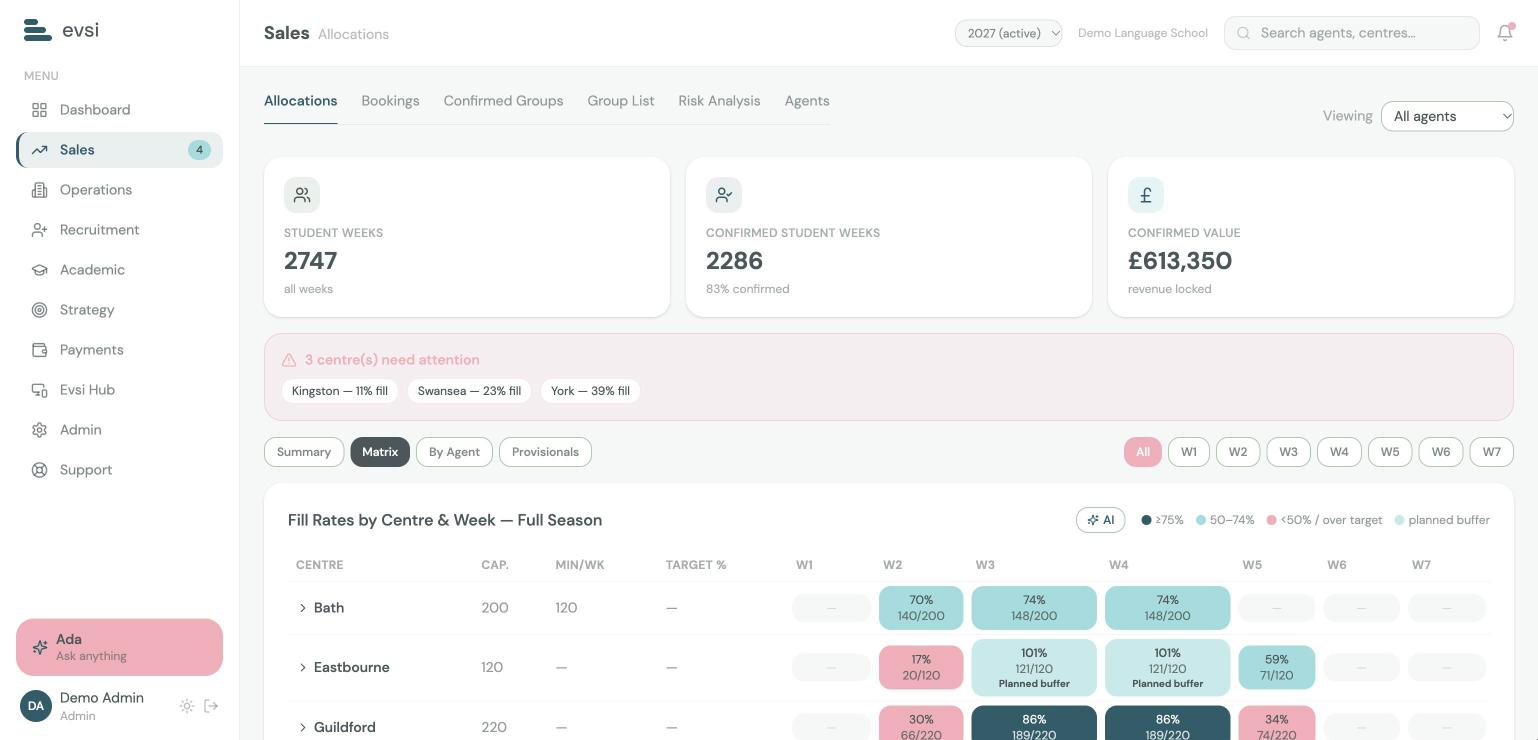
- Allocations, bookings, confirmed groups, group lists and agents in one place.
- A fill matrix by centre and week, with weeks under 50% shown in pink.
- A risk analysis that lists the worst low-fill weeks first.
Payments
Invoice agents, and see what is still owed.
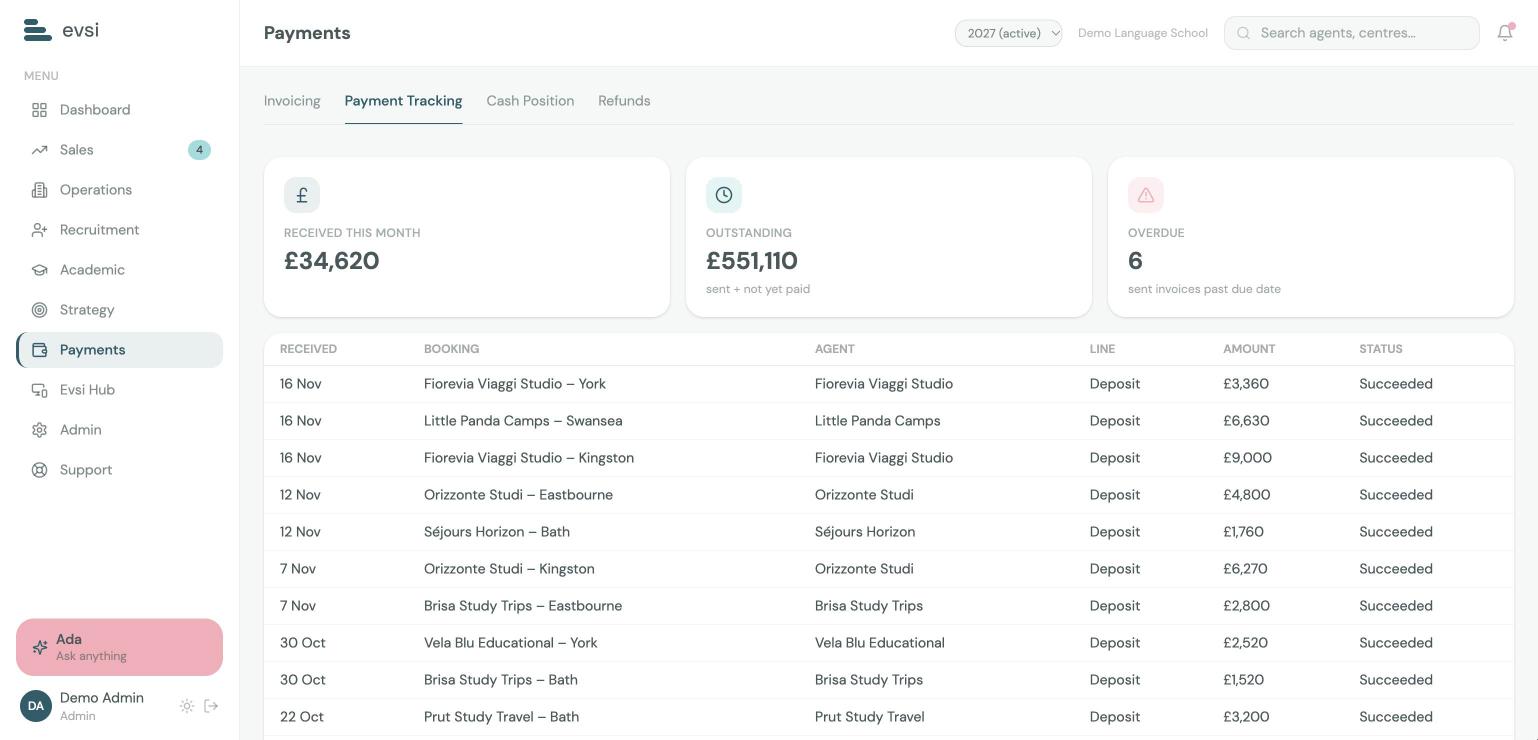
- Connect your own Stripe account and invoice agents and families from Evsi.
- Deposits, instalment plans, payment tracking and refunds in one place.
- Money goes straight into your Stripe account. Evsi never holds it.
- Included in Growth and above.
Operations
Fill, cost and logistics, centre by centre.
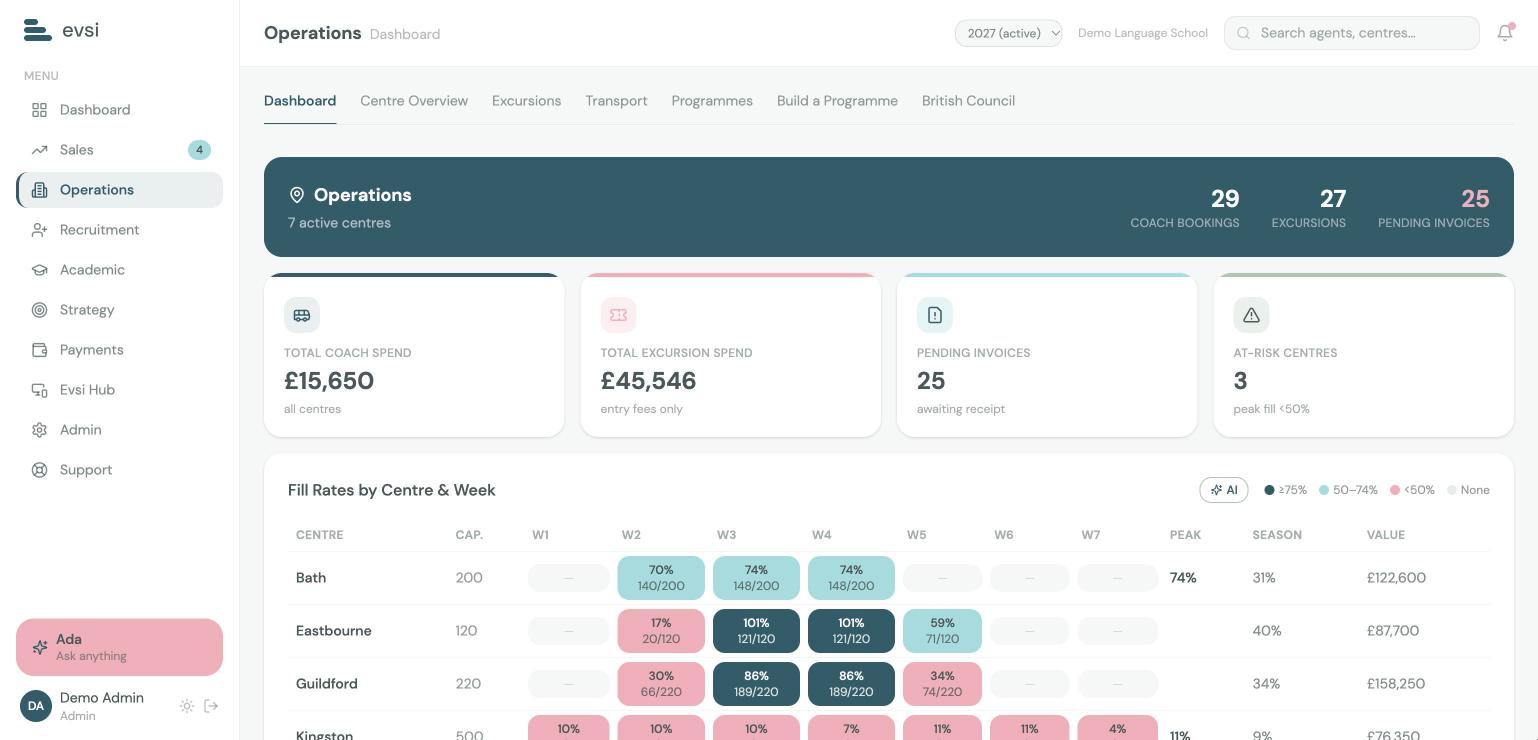
- Fill rates by centre and week, with peak and season totals.
- Coach and excursion spend, and invoices still awaiting receipt.
- A centre overview with confirmed students against beds in each centre’s busiest week.
- Excursions, transport, British Council views and one programme list for bookings and prices.
Recruitment
Hire the summer team, and see who is where.
- Staff profiles, documents and the hiring pipeline for each season.
- Set salaries by role in one go, then adjust anyone individually.
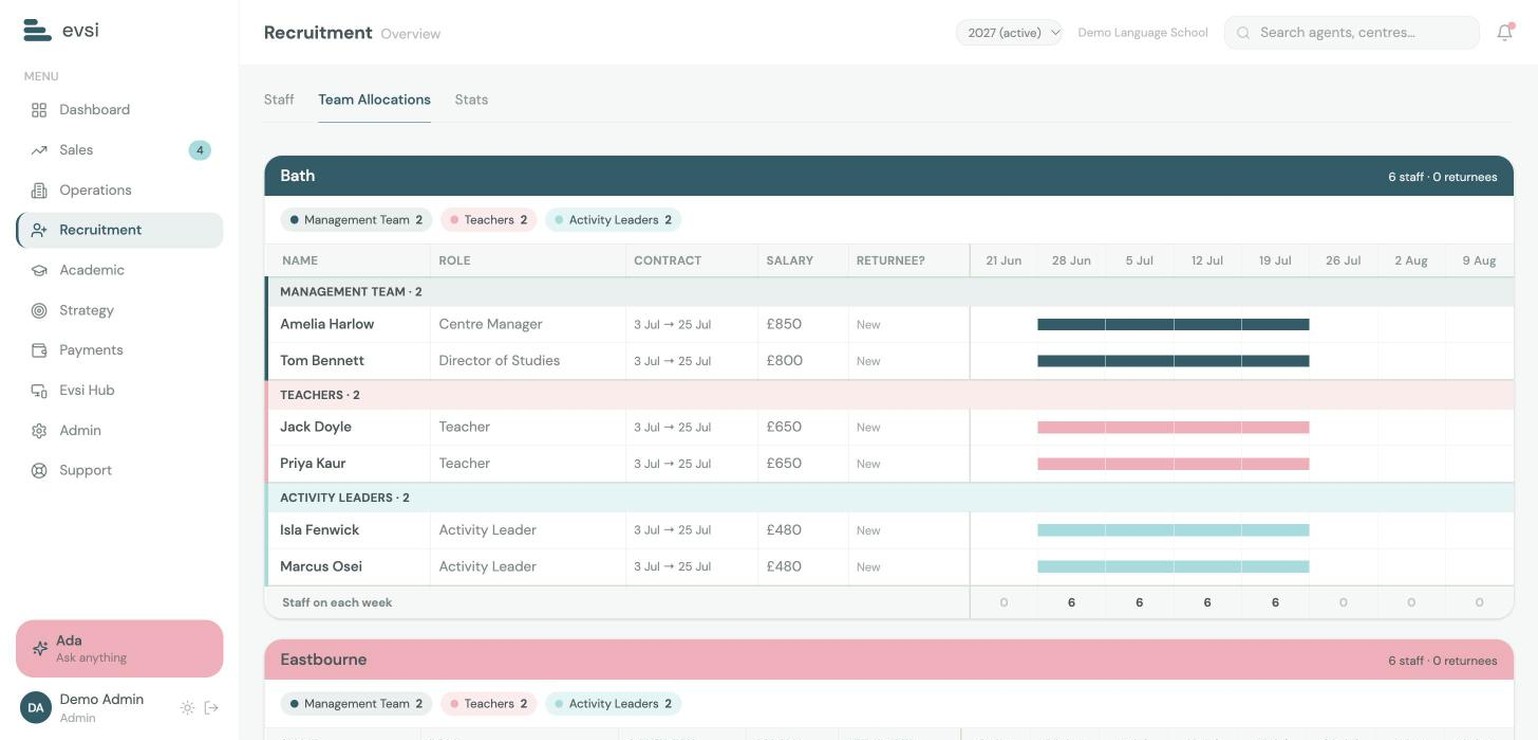
- Team allocations: who works at each centre, week by week, with headcounts for every week.
- With Evsi Hub (Growth and above), people you hire appear in their centre’s team automatically.
Programmes
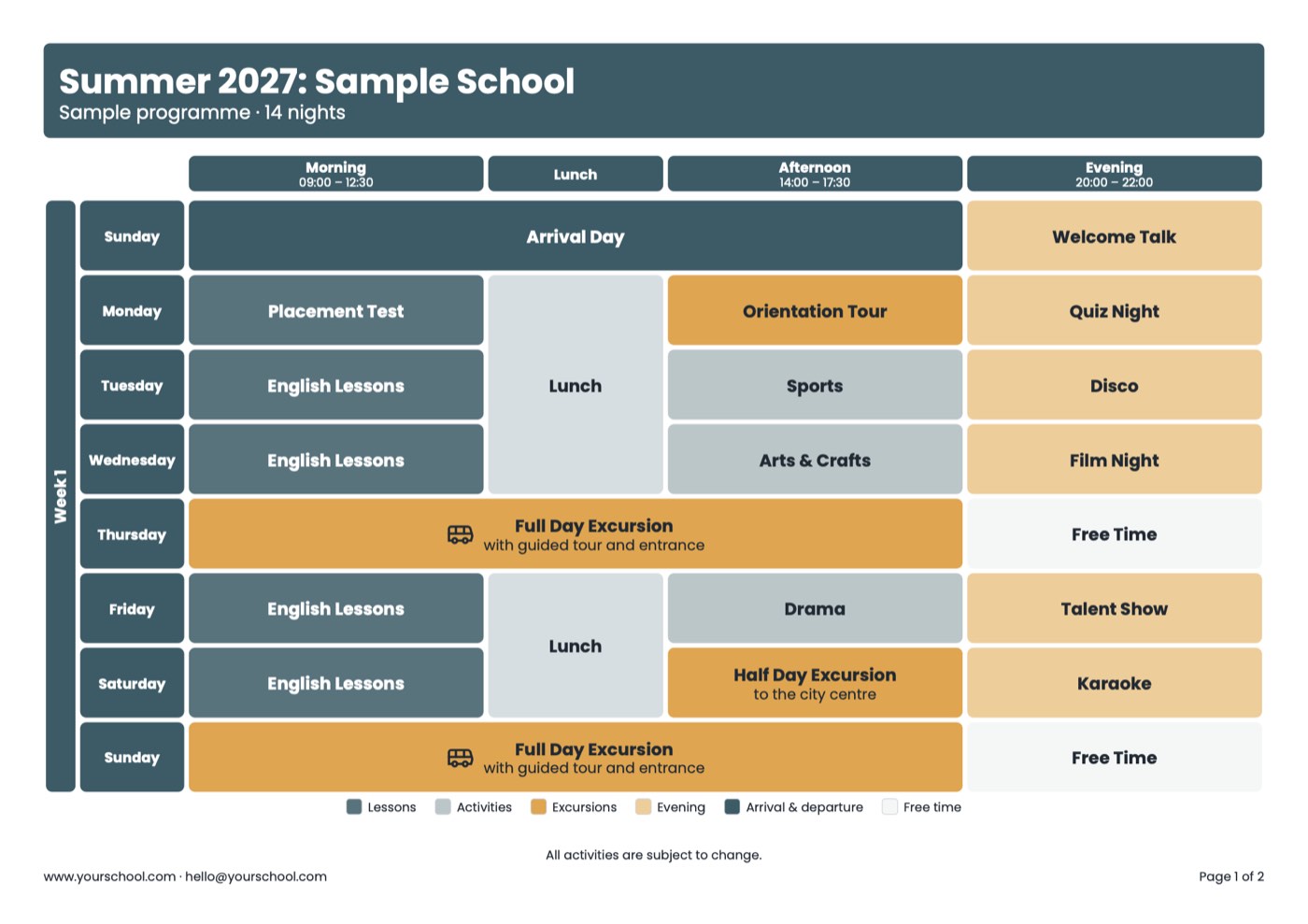
Design the programme once, send it to every centre.
- Your own time slots, activities that run across several slots, and everyday rows such as meals.
- Your logo, colours and fonts, or place the programme on a page you designed in Canva.
- Download a print-ready PDF, and send it to each centre’s Evsi Hub as a template.
- Included in Growth, Pro and Enterprise.
Academic
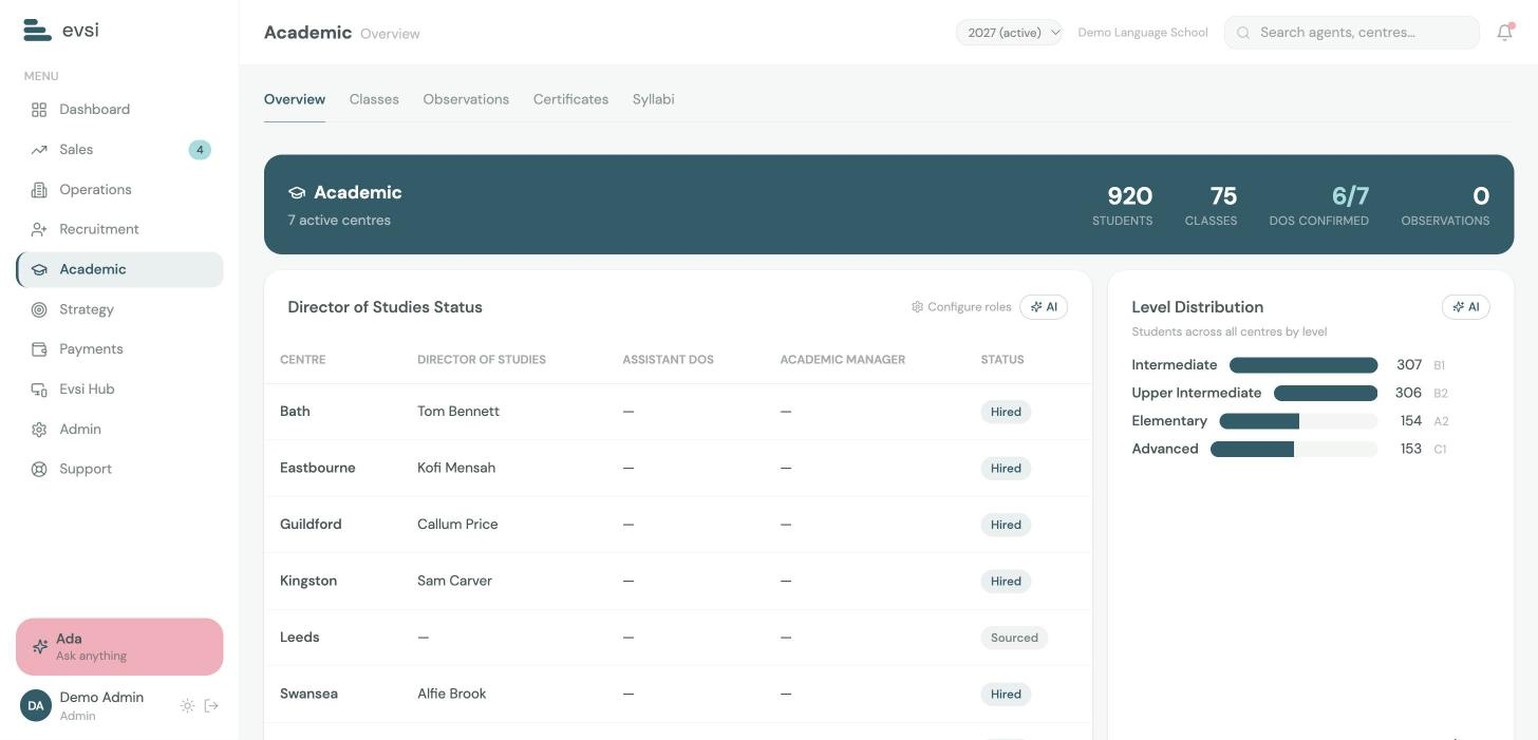
Academic sits beside everything else.
- Director of Studies cover for every centre at a glance.
- The level spread of all your students in one view.
- Observations, a syllabus tracker and syllabi on every plan.
- Classes and certificates from Growth upwards.
Strategy
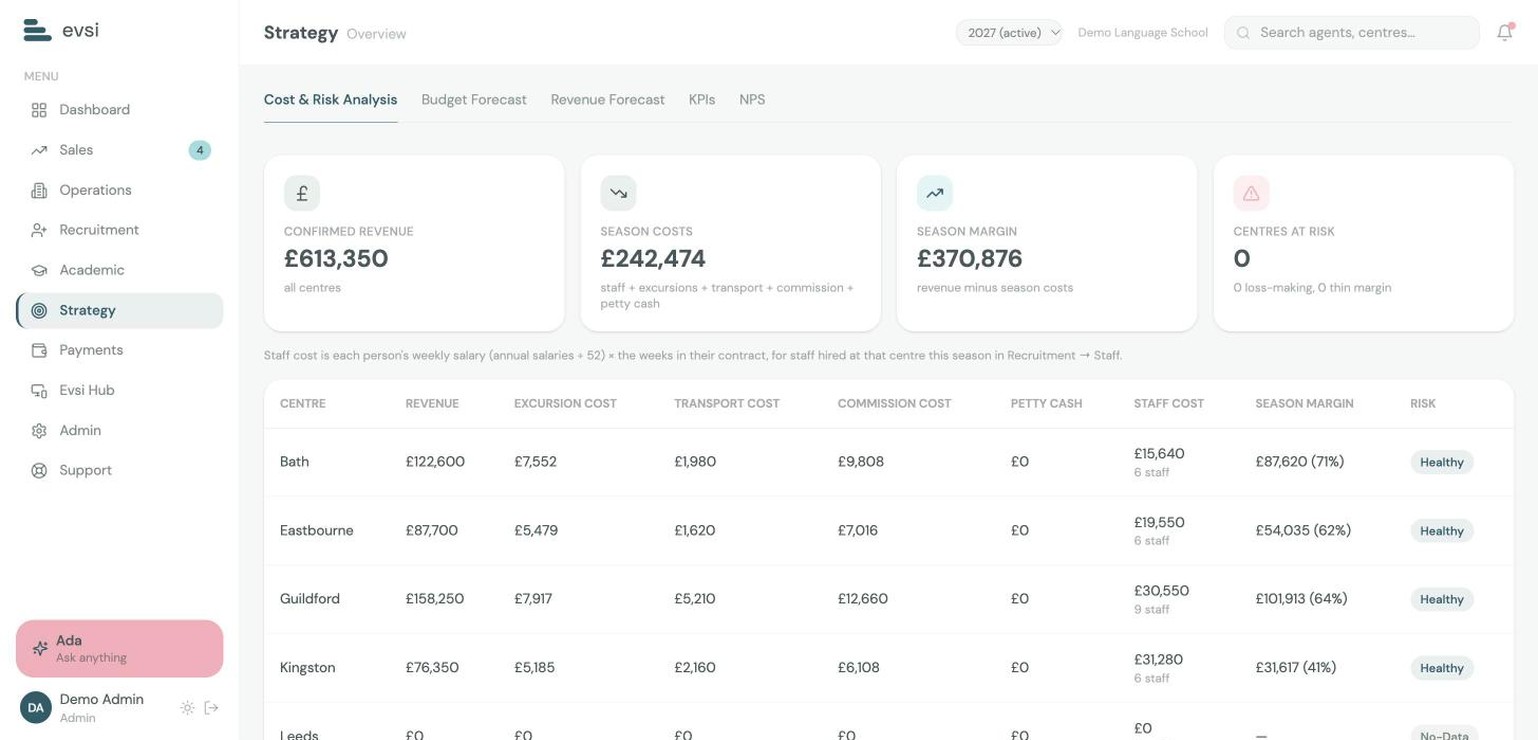
Margin and risk, by centre.
- Revenue, costs and season margin for every centre, including what its staff cost.
- A risk rating beside each one.
- Budget and revenue forecasts, NPS surveys and KPI scorecards.
Ada
Ask Ada about your own numbers.
- Ask in plain English, from any screen, in Evsi OS and Evsi Hub.
- Ada reads your live bookings, allocations and centres.
- Ask how to do something in Evsi and Ada walks you through it, or passes your question to us.
- AI buttons on charts and tables explain what you are looking at.
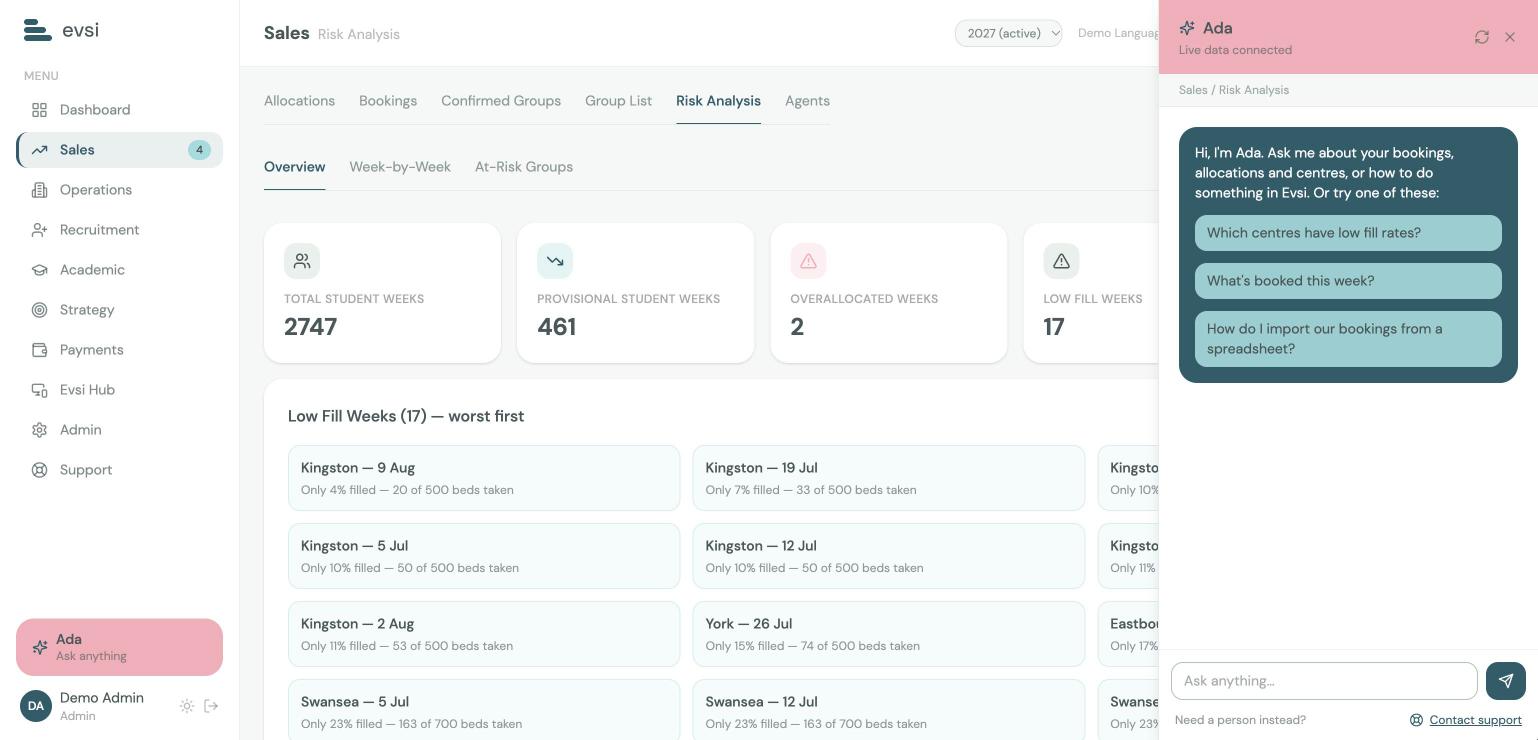
Screens are captured from the working build with demo data.
Part of Evsi OS
Evsi Hub: the live view of each centre.
Once a centre opens, its team works here. Students and group leaders go in once, and the day is laid out from the same data.
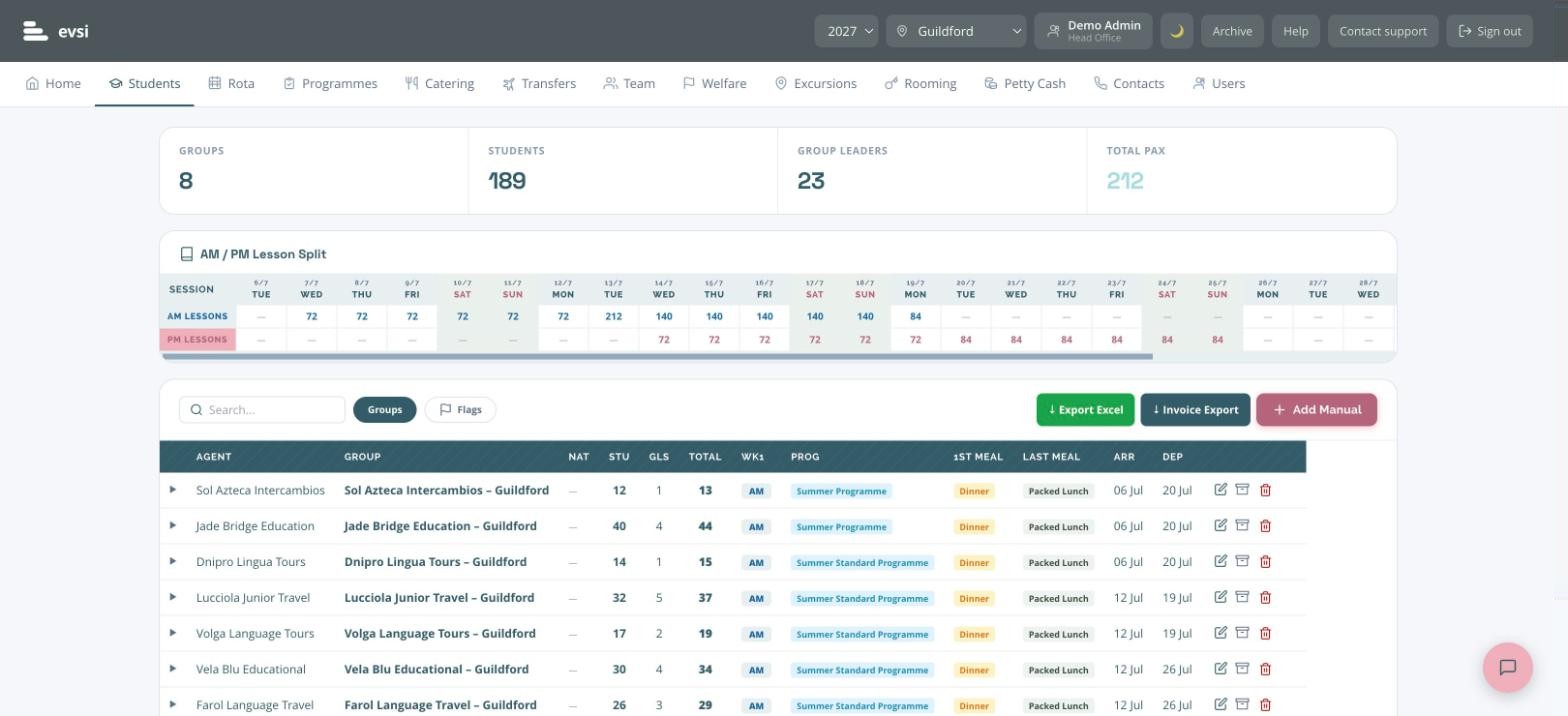
Groups, arrivals and departures, and the AM and PM lesson split for every day.
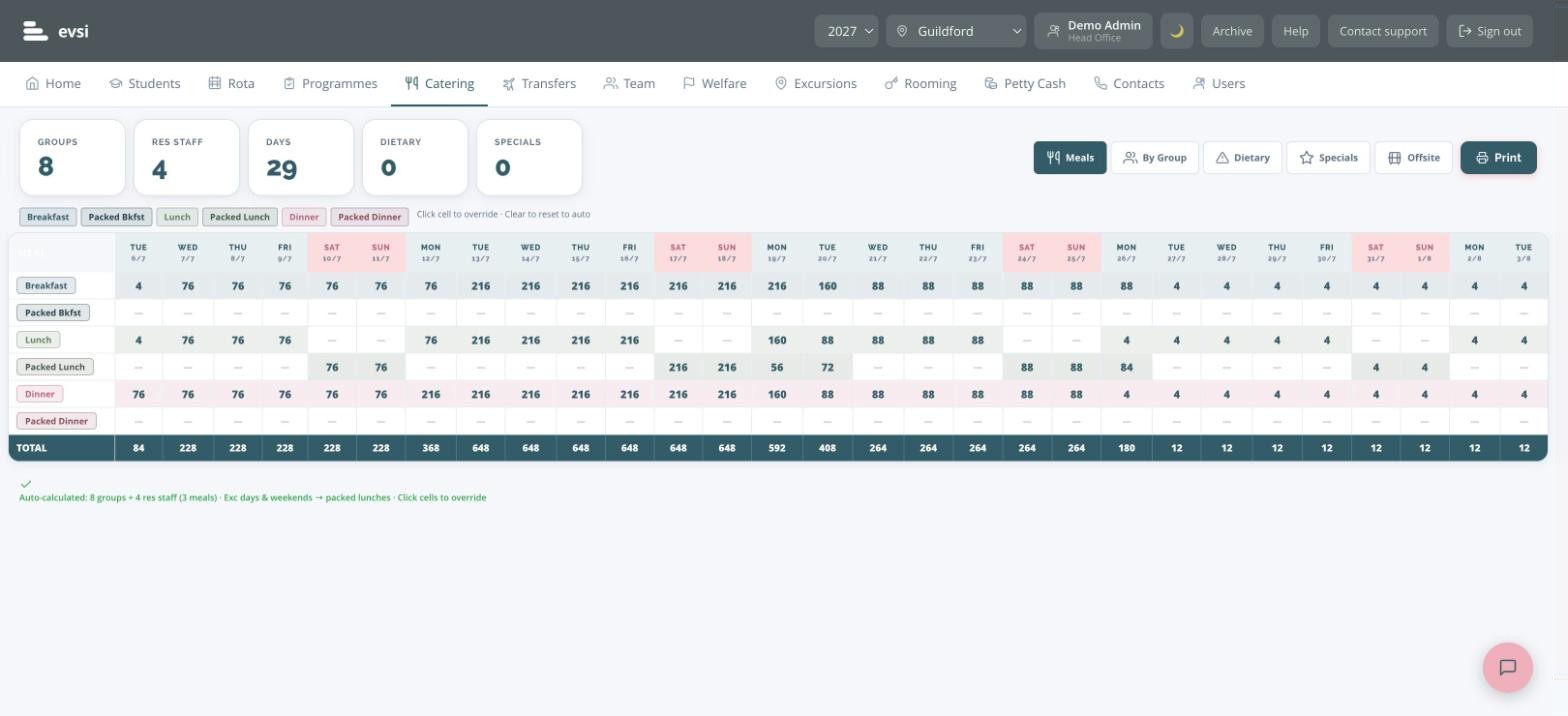
Meals calculate from the groups, with packed lunches at weekends. Click any cell to override.
Everything under one tab bar
How it works
Tailored to your school, not the other way round.
Evsi is not a generic tool you have to bend your operation around. Try it first on your own data, and when you go ahead, every school gets a setup that configures it to how you already work.
- 01
Start a free trial, or book a demo
For Starter, create an account and start your 14-day free trial straight away, with no card needed. For Growth and Pro, ask for a demo and we will set one up around your school.
- 02
Try it with your own data
Import your own centres and bookings, so you judge Evsi on your operation, not ours.
- 03
Decide to go ahead
When you are ready, pay the one-off setup fee and your first month. Nothing is charged during the trial or demo.
- 04
We tailor the setup
We configure Evsi to the way you work: your column names and data structures, export templates, rules, branding, and the modules you need.
- 05
Training, then go live, with support that carries on
Live online training for your team, so the people who will use it every day are comfortable from the first morning. Support continues for as long as you use Evsi, by email, video or phone depending on your plan.
Security and data
Student information deserves care.
Schools hold student and safeguarding information, so we built Evsi on the assumption that someone will ask how it is protected.
Your data stays yours
Every record is tied to your organisation, and the separation between schools is enforced by the database itself, not only by the application.
Established sign-in
Sign-in uses a managed authentication service rather than anything built in-house.
Students are not users
Licences are for staff and administrators. Students never log in or hold an account.
AI requests stay on the server
Requests to the AI behind Ada go through our server, so the keys that power them never reach a browser.
Where your data lives
Your data is stored in London. Our Data Processing Agreement sets out how we handle it on your behalf, and you accept it when you sign up. An admin can download all of your school’s data at any time, and if you leave we delete it on request, within 90 days at most.
Read the Data Processing AgreementQuestions schools ask.
Evsi is operations software for language schools. Evsi OS brings sales, operations, payments, recruitment, programmes, academic management and strategy into one system for head office, and Evsi Hub gives each centre a live view of its students, rota, programme, transfers, excursions and welfare once the season starts.
English language schools and EFL providers, and in particular those running junior summer programmes across several centres, where head office and each centre need to work from the same information.
Evsi OS is where head office works: bookings, agents, allocations, transport, excursions, staff, programmes and finances. Evsi Hub is where each centre team works during the season. What is confirmed in Evsi OS appears in the right centre’s Evsi Hub automatically. Evsi Hub is included in Growth, Pro and Enterprise.
Yes. You can import bookings, agents, students, excursions and transport from spreadsheets, and Evsi suggests which of your columns match its fields. Importing your existing records is part of the setup we do with you.
Yes, on Growth and above. You connect your own Stripe account and send invoices, take deposits, set up payment plans and give refunds from Evsi. The money goes straight into your Stripe account, and Evsi never holds it.
Ada is the assistant built into Evsi OS and Evsi Hub. Ask in plain English about your own bookings, allocations and centres, or how to do something in Evsi, and Ada answers or passes your question to our support team.
Your data is stored in London, and each school’s records are kept apart by the database itself. An admin can download all of your school’s data at any time, and if you leave we delete it on request, within 90 days at most.
No. Licences are for staff and administrators only. Students never log in or hold an account.
See it on your own data.
Start your 14-day free trial today, or ask us for a demo of Growth and Pro.